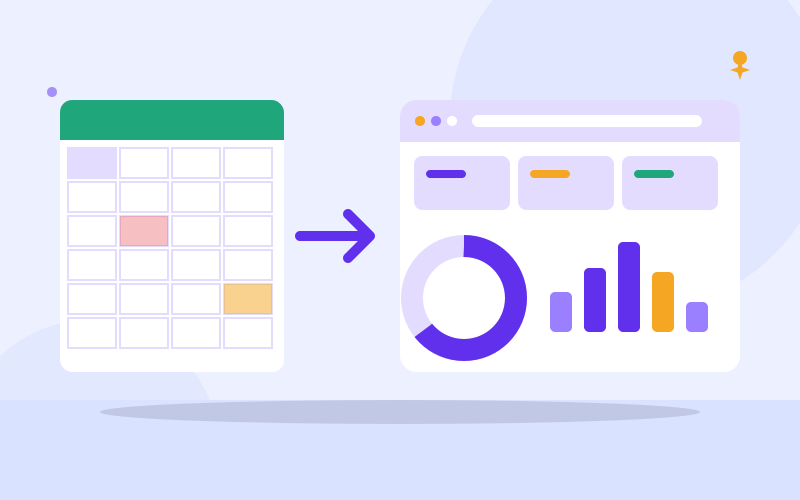
Key takeaways
- Spreadsheets are fine for one person and simple records; trouble starts when several people depend on the same file.
- The signs are errors, version confusion, slow reports, no history of who changed what, and fear of touching the file.
- Clean your data and write down your process before you move; a system cannot fix a process nobody has defined.
- Run old and new side by side for a short period, then switch.
Quick answer: when are spreadsheets no longer enough?
When the spreadsheet starts to run you instead of you running it. If you spend time reconciling numbers, hunting for the latest version, fixing broken formulas, or waiting for the one person who understands the file, you have outgrown it.
Spreadsheets are a wonderful tool. They are flexible, familiar and free or cheap. For one person tracking simple lists, for a quick calculation, or for a project in its first weeks, they are the right choice. The problem is not that spreadsheets are bad. It is that they were designed for calculating, and businesses often use them as databases, workflow tools and filing cabinets.
This guide helps you decide whether it is time, what to prepare, and how to move without chaos.
What are the warning signs?
Check how many of these sound familiar.
- Several versions exist. Files named final, final2 and final-latest on WhatsApp and email, and nobody is sure which is correct.
- Two people cannot work at the same time without overwriting or waiting for each other.
- Numbers disagree. The stock count does not match the shelf, or the sales total does not match the money in the account.
- Formulas break. A deleted row, a sorted column or a pasted value silently ruins totals.
- No history. You cannot tell who changed a price, deleted a customer or edited yesterday's figures.
- Everyone sees everything. You cannot let a salesperson see orders without also showing profit margins or staff pay.
- Reports take hours. Month end means copying between sheets, checking, and doing it again.
- Duplicate typing. The same customer details are entered into the invoice, the delivery list and the contact sheet.
- The file is slow, huge or crashes.
- You are afraid to touch it. If one person built it and nobody else dares edit it, the business has a hidden risk.
- Customers wait. Answers like "let me check my file" cost time and trust.
How do you decide? A quick self-check
Score yourself, one point for each yes.
- More than two people edit the same sheet or workbook in a typical week.
- You have lost data, or sent a wrong figure to a customer or supplier, because of a spreadsheet.
- You need to know quantities, balances or statuses in real time, not at the end of the week.
- You need different permissions for different staff.
- You work across more than one branch, shop or location.
- You send invoices, receipts, reminders or reports built from the data.
- The same data appears in more than one file.
- You would struggle if the person who maintains the file left tomorrow.
Zero to two: stay with spreadsheets and improve how you use them. Three to five: plan a move, begin by cleaning the data. Six or more: the cost of waiting is already higher than the cost of changing.
Can you fix the spreadsheet instead?
Sometimes, yes. Before buying anything, try these improvements, because they will also make a later move easier.
- One file in one shared place. Use a cloud spreadsheet with a link, so there is only one version and edits are shared.
- Use the version history. Cloud spreadsheets record who changed what and let you restore earlier versions.
- Separate data entry from reports. One sheet for raw records, another for totals that read from it.
- Use a fixed layout. One row per item or transaction, one column per field, no merged cells in the data.
- Use drop-down lists and validation so staff pick a status instead of typing it differently each time.
- Protect formula cells and give most people view-only access.
- Back up a copy on a schedule, and check you can open it.
If after tidying you still need real-time numbers, different permissions, automation or several locations, a system is the right step.
What can a business system do that a spreadsheet cannot?
- Keeps one source of truth. A customer or product is entered once and used everywhere.
- Enforces rules. It can stop you selling stock you do not have, or give a discount above an allowed limit.
- Controls access. Each role sees and changes only what it should.
- Keeps an audit trail. Who did what and when, for every important change.
- Automates routine work. Invoices, reminders, low-stock alerts and daily summaries.
- Handles many users and locations at the same time without file conflicts.
- Produces reports instantly from live data.
- Works on a phone, so staff in a shop or on the road can use it.
A system can also be wrong if it is set up poorly, so the advantage comes from design and discipline, not magic.
Which area should you move first?
Do not try to replace everything on one day. Pick the area where the pain and the cost are highest.
- Stock moves in and out daily? Start with inventory.
- Losing leads and forgetting follow-ups? Start with customer records.
- Chasing payments and writing invoices by hand? Start with billing.
- Double bookings or missed appointments? Start with bookings.
- Staff records and leave tracked in a notebook? Start with HR.
Choose one, make it work, then connect the next. Systems built on the same foundation share customers and products, which is how the duplication ends.
How do you prepare before you switch?
- Write down the process. Who does what, in what order, from enquiry to payment. Draw it on paper. Gaps and workarounds will show up. A system should fit the process you want, not the accidental one.
- List the information you need. Customer details, product fields, prices, tax, statuses, branches.
- Define who sees and does what. Owner, manager, cashier, storekeeper, salesperson, accountant.
- Clean the data. Remove duplicates, fix spellings, standardise phone numbers, give every item a unique code or SKU, delete test rows, and decide what history you really need.
- Back up the original files and keep them untouched as a reference.
- Choose your must-haves. A handful of things the system must do from day one, versus things that can wait.
- Pick a champion. One person who will learn it first and help the rest.
How do you switch without breaking the business?
- Import a small sample first. Check that columns land in the right fields and numbers still match.
- Import the full data and verify. Compare totals: item count, stock quantities, customer count, outstanding balances. They must agree with the spreadsheet.
- Train people on real tasks, not feature tours. Let each role practise its daily job.
- Choose a quiet cut-over date. For stock, choose a day after a physical count, so you start from a true figure.
- Run both in parallel for a short, defined period. Compare results daily and fix differences.
- Freeze the old spreadsheet. Make it read-only on the agreed date so nobody keeps updating it.
- Review after two to four weeks. What slows people down? What was missed?
Expect a dip in speed at first. People will ask where things went. That is normal and it passes when the champion helps and rules are clear.
When should you call a professional?
Off-the-shelf software suits standard needs. A custom system or a professionally configured one is worth considering when your process is unusual, you need your own rules, you must link several areas, or you have tried an app and found yourself fighting it.
Ask any provider how data is exported, who owns it, how backups work, what happens when the internet or power fails, and who answers when something goes wrong. A system you cannot leave is a risk of its own.
Frequently asked questions
How do I know if my business is too small for a business system?
There is no size threshold. If one person keeps simple records and nothing is missed, spreadsheets are fine. The moment a second person depends on the data, or mistakes cost you money or customers, a system starts to pay for itself, even in a very small business.
Is Google Sheets good enough for a growing business?
It is a good step up from a file on one laptop: shared, versioned and accessible from phones. It still lacks strong rules, permissions per field, automation and reliable multi-user transactions. Use it while you are small, and plan a move when accuracy and control become important.
Will I lose my data when I switch?
Not if you plan it. Back up the original files, import a sample first, verify counts and balances after the full import, and keep the old files read-only for reference. Most problems come from messy data, so cleaning it before the move is the best protection.
How long does it take to move to a business system?
It depends on the area and the amount of data. A focused module can be set up quickly, while a full process with several branches takes longer. Most of the time goes into cleaning data, agreeing the process and training staff rather than the software itself.
What if my staff resist the new system?
Involve them early, ask what frustrates them in the current process, train on real daily tasks and appoint a champion. Resistance usually drops when people see the system removes a chore they dislike. Make the old method unavailable after the cut-over date so there is no way back.
Can a business system work when the internet is poor?
Some can, some cannot. Ask how the system behaves when the connection drops, whether it saves work locally and syncs later, and how it handles power cuts. Test it on your real network during a trial period before you commit your whole operation.

We repair laptops and build websites and business systems. Have a question this guide did not answer? Message us.
This guide is general advice. Every device and business is different, so if you are unsure, ask a technician before you act.